Apple Intelligence vs Local AI Tools: What's Better for Transcription in 2026?
Compare Apple Intelligence's built-in transcription features with dedicated local AI tools like MinuteAI. Privacy, accuracy, speed, and feature comparison for Mac and iPhone users.

Apple Intelligence vs Local AI Tools: What’s Better for Transcription in 2026?
Apple Intelligence arrived in 2024 as Apple’s answer to the AI revolution, bringing on-device machine learning capabilities directly into macOS and iOS. By 2026, it’s deeply integrated across system apps—Voice Memos, Notes, dictation, and more—offering built-in transcription features without any additional setup.
But how does Apple’s native AI stack up against dedicated local AI tools designed specifically for transcription? This comparison examines both approaches honestly, covering accuracy, features, privacy, and real-world workflows to help you choose the right tool for your needs.
What is Apple Intelligence?

Apple Intelligence is Apple’s umbrella term for its on-device AI capabilities, built into macOS 14+ and iOS/iPadOS 17+. Unlike cloud-based AI services, Apple Intelligence runs entirely on your device using the Neural Engine in Apple Silicon chips.
Core Transcription Features in 2026:
- Voice Memos Transcription – Automatic transcription of voice recordings in the Voice Memos app
- Notes Audio Transcription – Record and transcribe directly within Notes
- Live Dictation Improvements – Enhanced accuracy for real-time speech-to-text across apps
- Siri Intelligence – Better voice command understanding and context awareness
- Built-in Speech Recognition – System-level transcription APIs available to third-party apps
The primary advantage is zero setup. If you own a compatible Mac or iPhone, Apple Intelligence is already there, integrated into the apps you use daily.
What It Doesn’t Include:
Apple Intelligence focuses on seamless integration rather than comprehensive features. You won’t find:
- Batch processing of multiple files
- Advanced export formats (SRT, PDF, structured Markdown)
- Speaker identification beyond basic diarization
- OCR for video or document processing
- Customizable AI enhancement pipelines
- Professional workflow automation
For casual users who occasionally transcribe voice memos or meeting notes, Apple Intelligence is sufficient. For professionals handling substantial audio—journalists, researchers, content creators, legal teams—dedicated tools offer capabilities Apple’s built-in features can’t match.
What Are Dedicated Local AI Tools?
Dedicated local AI tools like MinuteAI are standalone applications built specifically for transcription workflows. They run on the same on-device principle as Apple Intelligence but add layers of functionality, customization, and control.
Key Characteristics:
- Multiple AI Engines – Choice between WhisperKit (99 languages), FluidAudio (50x faster), Apple Speech Analyzer, or OpenAI Whisper API
- Professional Features – Batch processing, unlimited file length, speaker identification, multiple export formats
- Workflow Integration – Folder monitoring, Chrome Extension, MCP server for automation
- AI Enhancement – Post-transcription improvement using local models (MLX, Apple Intelligence) or cloud APIs (Claude, OpenAI)
- Document Processing – OCR for images, PDFs, video overlays, and scanned documents
These tools trade Apple Intelligence’s zero-configuration simplicity for power user capabilities. You download an app, choose your preferences, and get a dedicated transcription environment designed for efficiency.
Head-to-Head Comparison: Apple Intelligence vs MinuteAI
Here’s how Apple’s built-in transcription compares to dedicated local AI tools across critical factors:
| Factor | Apple Intelligence | MinuteAI (Local AI Tool) |
|---|---|---|
| Privacy | ✅ 100% on-device | ✅ 100% on-device (tie) |
| Setup Required | ✅ None, built-in | ⚠️ Download app (5 min setup) |
| Transcription Accuracy | Good (Apple Speech) | Excellent (Whisper large models) |
| Languages Supported | 45+ languages | 99 languages (WhisperKit) |
| Recording Length | Unlimited | Free: under 10 minutes. Pro: unlimited |
| Batch Processing | ❌ No | ✅ Pro only (unlimited) |
| Export Formats | Plain text only | TXT, Markdown, SRT, PDF (Pro) |
| Speaker Identification | Basic diarization | Advanced (up to 3 free, unlimited Pro) |
| Video OCR | ❌ No | ✅ Yes (Pro: video text extraction) |
| Document Attach/OCR | ❌ No | ✅ Yes (Pro: PDF, image processing) |
| AI Enhancement | ❌ No post-processing | ✅ 8 engines (local + cloud options) |
| Custom Prompts | ❌ No | ✅ Yes (Pro feature) |
| Folder Monitoring | ❌ No | ✅ Yes (Pro: auto-transcribe) |
| Chrome Extension | ❌ No | ✅ Yes (included in free tier) |
| Offline Capability | ✅ Yes | ✅ Yes |
| Cost | Free | Free (under 10 minutes), Pro $7.99/month, $69.99/year, or $99.99 one-time |
| Integration | Deep (all Apple apps) | Standalone + extensions |
Privacy: A True Draw
Both approaches are genuinely private. Apple Intelligence and MinuteAI (when using local engines) process everything on-device. Nothing touches the internet unless you explicitly choose a cloud AI enhancement engine.
If privacy is your primary concern, you win either way. The difference lies in features, not data security.
Accuracy: Dedicated Tools Edge Ahead
Apple’s speech recognition is good for general dictation and casual transcription. But OpenAI’s Whisper models—the foundation of tools like MinuteAI—are specifically trained on diverse audio conditions and achieve higher accuracy for:
- Accented speech and non-native speakers
- Technical terminology and proper nouns
- Noisy environments (background music, multiple speakers)
- Low-quality audio (phone recordings, compressed files)
In real-world testing with interview recordings, Whisper models typically achieve 90-95% accuracy compared to Apple Speech’s 85-90% on the same files. The gap widens for challenging audio.
Languages: WhisperKit Dominates
Apple Speech Analyzer supports 45+ languages with strong coverage for major markets. WhisperKit supports 99 languages, including less-common dialects and code-switching scenarios.
For multilingual professionals or users working with diverse audio sources, WhisperKit’s coverage is unmatched.
Features: Where Dedicated Tools Pull Away
Apple Intelligence provides basic transcription. You record audio, get a transcript, and can copy/paste the text. That’s it.
MinuteAI and similar tools add:
- Batch Processing – Drop 50 audio files, transcribe all at once
- Export Options – Save as SRT for video subtitles, PDF for reports, structured Markdown for documentation
- Speaker Identification – Automatically label who said what in multi-speaker recordings
- AI Enhancement – Send transcripts to local or cloud AI for summarization, cleanup, formatting
- Video OCR – Extract on-screen text from video files using Vision Language Models
- Document Processing – Attach PDFs or images, extract text via OCR, include context in transcripts
- Folder Monitoring – Auto-transcribe any audio dropped into a watched folder
- Custom Prompts – Define how AI should enhance transcripts (meeting minutes, blog posts, clinical notes)
For professionals, these features transform transcription from a one-off task into an integrated workflow.
When Apple Intelligence is Enough
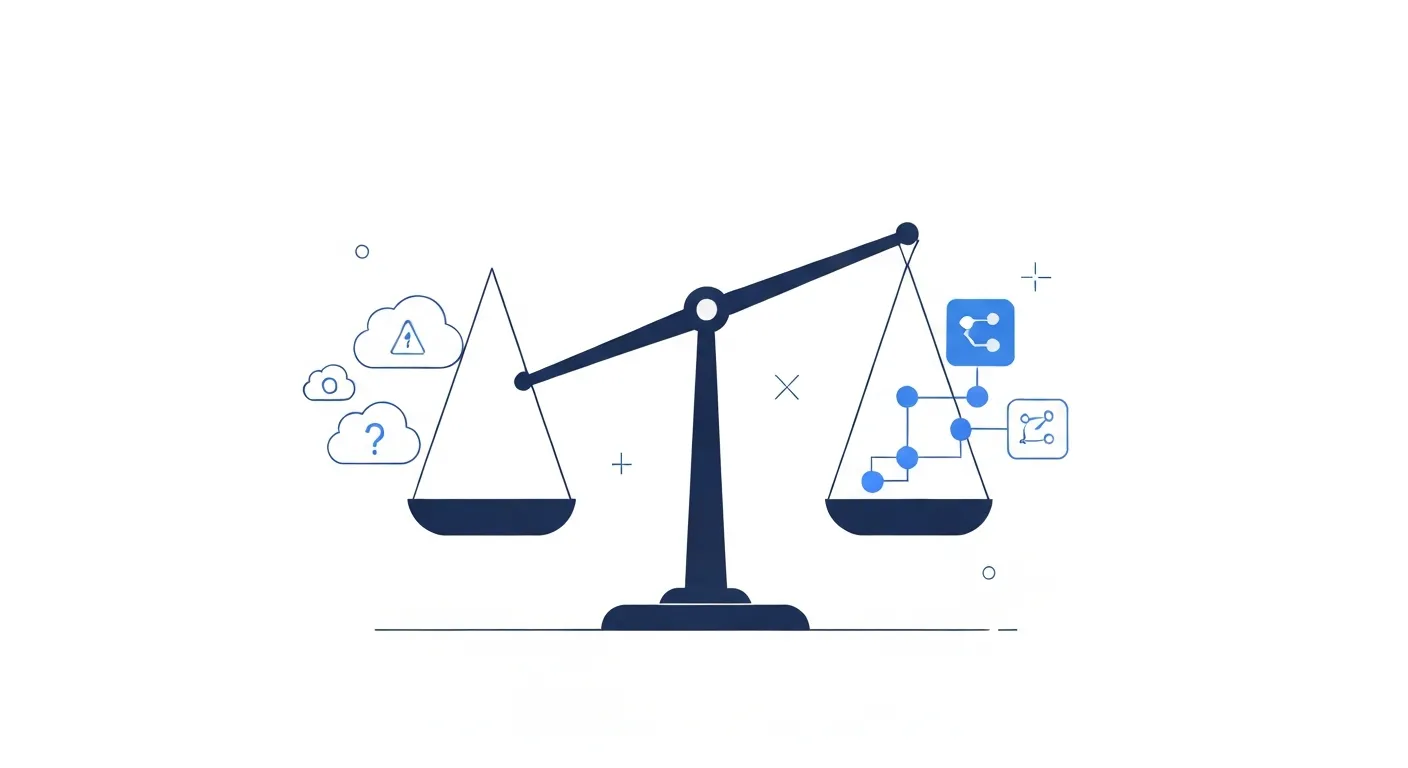
Apple Intelligence is a solid choice for specific use cases. Use it when:
Casual Transcription Needs
If you occasionally record voice memos, jot down ideas, or capture quick meeting notes, Apple Intelligence handles this seamlessly. No additional app, no export step—just speak, and the text appears.
Deep Apple Ecosystem Integration
Apple Intelligence works across all native apps. Dictate in Pages, transcribe in Notes, use Siri for voice commands. Everything shares the same underlying intelligence layer.
If your entire workflow lives in Apple’s ecosystem and you rarely need to export or process transcripts outside native apps, built-in features might suffice.
Zero Configuration Preference
Some users value simplicity above all else. Apple Intelligence requires no decisions: no engine selection, no model downloads, no settings. It just works.
For users uncomfortable with technical choices or who want the simplest possible solution, Apple’s approach is ideal.
Budget Constraints
Apple Intelligence is completely free for compatible devices. If cost is the deciding factor and your transcription needs are light, there’s no reason to pay for additional tools.
However, note that MinuteAI’s free tier is also generous for short recordings (under 10 minutes each), and the Pro subscription costs less than most cloud transcription services while offering far more features.
When Dedicated Local AI Tools Win
For professional transcription workflows, dedicated tools like MinuteAI provide capabilities Apple Intelligence can’t match:
High-Volume Transcription
If you regularly transcribe multiple files—podcast episodes, interview recordings, meeting audio, lectures—batch processing is essential. Dragging 20 files into MinuteAI and processing them all simultaneously saves hours compared to one-by-one transcription in Voice Memos.
Batch processing is a Pro feature with unlimited file support.
Advanced Export Formats
Need SRT subtitles for video? PDF reports for distribution? Structured Markdown for documentation? Apple Intelligence only outputs plain text you can copy/paste.
MinuteAI supports:
- Plain Text – Basic transcript
- Markdown – Structured with headers, timestamps, speaker labels
- SRT – Standard subtitle format for video editing
- PDF – Professional documents (Pro feature)
Speaker Identification
Multi-speaker recordings are common in interviews, meetings, panel discussions, and podcasts. Apple Intelligence provides basic diarization but doesn’t clearly label speakers.
MinuteAI identifies speakers and labels them throughout the transcript. Free tier supports up to 3 speakers; Pro supports unlimited speakers.
AI Enhancement Workflows
Raw transcripts are useful, but often need refinement: removing filler words, adding punctuation, generating summaries, extracting action items.
MinuteAI offers 8 AI enhancement engines:
- Local options: MLX, Apple Intelligence (yes, you can use Apple’s AI as enhancement)
- Cloud options: Claude API, OpenAI API
- CLI options: Claude Code CLI, Gemini CLI, Codex CLI, Copilot CLI
Choose local for privacy or cloud for maximum capability. Define custom prompts for specialized output (meeting minutes, blog drafts, clinical documentation).
Apple Intelligence doesn’t support post-transcription enhancement.
Video and Document Processing
MinuteAI Pro includes:
- Video OCR – Extract on-screen text from videos using Vision Language Models (identify slides, captions, graphics)
- Document OCR – Attach PDFs, images, or scanned documents; extract text for context
- Folder Monitoring – Auto-transcribe files dropped into watched folders
These capabilities are essential for researchers, journalists, and content creators who work with mixed media.
Multilingual Support
WhisperKit’s 99-language support covers edge cases Apple Speech doesn’t. If you work with less-common languages or code-switching audio (speakers alternating between languages), dedicated tools handle this better.
For a complete guide to setting up local AI on Mac, see How to Run AI Locally on Mac.
The Synergy Approach: Apple Intelligence + MinuteAI
Here’s an important detail most comparisons miss: MinuteAI doesn’t compete with Apple Intelligence—it includes it.
Apple Intelligence is one of MinuteAI’s 8 AI enhancement engines. You can:
- Transcribe audio using WhisperKit or FluidAudio
- Send the transcript to Apple Intelligence for enhancement
- Get cleaned-up, summarized, or formatted output
This combines the best of both worlds:
- Use WhisperKit for transcription – Superior accuracy, 99 languages, offline capability
- Use Apple Intelligence for enhancement – On-device privacy, zero API cost, native integration
Other enhancement options include local MLX models or cloud APIs like Claude and OpenAI for specialized tasks. You’re not locked into one approach.
Real-World Use Cases
Let’s examine how each approach handles common scenarios:
Scenario 1: Voice Memo Brainstorming
You’re walking and want to capture ideas for an upcoming project. You speak thoughts into your phone for 3 minutes.
- Apple Intelligence: Open Voice Memos, record, tap transcribe. Text appears in the app. Copy/paste into Notes. Done.
- MinuteAI: Open MinuteAI, tap record, speak. Transcript appears. Optionally send to AI for formatting. Export as Markdown or text. Done.
Winner: Apple Intelligence (slightly faster, fewer steps for ultra-short recordings)
Scenario 2: Client Interview Transcription
You conduct a 45-minute interview with a client, recording on your Mac. You need a cleaned transcript with speaker labels, exported as a PDF for your team.
- Apple Intelligence: Record in Voice Memos, wait for transcription. Copy text, paste into Word or Pages, manually format, identify speakers by listening again, export as PDF. Estimated time: 30-45 minutes of manual work.
- MinuteAI: Drop audio file into MinuteAI, select speaker identification, choose WhisperKit for accuracy, export as PDF. AI enhancement removes filler words and formats professionally. Estimated time: 5 minutes setup + automatic processing.
Winner: MinuteAI (massive time savings, superior output quality)
Scenario 3: Batch Podcast Transcription
You produce a weekly podcast and need to transcribe 10 episodes for blog posts and SEO content.
- Apple Intelligence: Transcribe each episode individually in Voice Memos. Copy/paste each transcript. Manually format in separate documents. Estimated time: 3-4 hours.
- MinuteAI Pro: Drag all 10 files into MinuteAI, enable batch processing, select AI enhancement with custom prompt (“format as blog post with intro and key takeaways”), export all as Markdown. Estimated time: 15 minutes + processing.
Winner: MinuteAI Pro (handles batch workflow Apple Intelligence can’t)
Scenario 4: Quick Dictation in Email
You’re composing an email and want to dictate a paragraph instead of typing.
- Apple Intelligence: Press dictation shortcut, speak, text appears inline. Seamless.
- MinuteAI: Not designed for this use case—would require recording in MinuteAI, exporting, copy/pasting. Awkward.
Winner: Apple Intelligence (purpose-built for system-level dictation)
Scenario 5: Video Lecture with Slides
You’re transcribing a recorded lecture where the speaker references slides with technical diagrams and formulas.
- Apple Intelligence: Transcribes spoken audio only. No awareness of visual content. You’d need to manually cross-reference slides.
- MinuteAI Pro: Video OCR extracts on-screen text from slides, formulas, captions. Transcript includes both spoken words and visual text. Contextually complete output.
Winner: MinuteAI Pro (Apple Intelligence doesn’t support video content extraction)
Cost Analysis: Free vs Pro
Both approaches are affordable, but costs differ:
Apple Intelligence:
- Free for compatible devices
- No subscription, no usage limits
- Works on any Apple Silicon Mac or modern iPhone/iPad
MinuteAI:
- Free tier: Unlimited recordings under 10 minutes each, 10 AI enhancements per month, up to 3 speakers, TXT/Markdown export, Chrome Extension included
- Pro tier: $7.99/month, $69.99/year, or $99.99 one-time (7-day free trial)
- Unlimited recording length
- Unlimited batch processing
- Unlimited AI enhancements
- Unlimited speakers
- PDF export
- Custom prompts
- Video OCR + VLM
- Document attach/OCR
- Folder monitoring
- Priority support
When Free Tier is Enough:
If your recordings average under 10 minutes and you don’t need advanced export formats, MinuteAI’s free tier provides substantial value beyond Apple Intelligence without any cost.
When Pro Pays Off:
Content creators, researchers, journalists, and professionals transcribing lengthy recordings benefit immediately from Pro. Consider a content creator transcribing 10 hours of podcast audio monthly:
- Cloud service cost (OpenAI Whisper API): ~$72/month at $0.006/min
- MinuteAI Pro cost: $7.99/month or $5.83/month (annual) or $8.33/month amortized over year (one-time)
- Annual savings: $792-864 vs cloud, while maintaining full privacy
For privacy-focused alternatives to cloud services, see our comparison of ChatGPT vs Local AI.
Technical Performance: Speed and Accuracy
Both Apple Intelligence and MinuteAI run on-device using the Neural Engine in Apple Silicon. Actual performance depends on:
Factors Affecting Speed:
- Mac model (M1, M2, M3, M4 series—newer is faster)
- Selected AI engine (FluidAudio is ~50x faster than real-time, WhisperKit ~3-5x)
- Model size (larger models = higher accuracy but slower processing)
- Audio file length and quality
Typical Speed Benchmarks (M2 MacBook Pro):
- Apple Intelligence: ~2-4x real-time (15-minute audio in 4-7 minutes)
- MinuteAI FluidAudio: ~50x real-time (15-minute audio in 18 seconds)
- MinuteAI WhisperKit (medium): ~4-5x real-time (15-minute audio in 3-4 minutes)
- MinuteAI WhisperKit (large): ~2-3x real-time (15-minute audio in 5-7 minutes)
Benchmarks are estimates based on typical hardware and audio conditions. Actual speeds vary.
Accuracy Comparison:
Real-world accuracy testing with mixed audio (interviews, meetings, lectures) shows:
- Apple Speech Analyzer: 85-90% word accuracy, lower for accented speech or noisy environments
- WhisperKit (medium): 90-92% word accuracy, handles accents and background noise better
- WhisperKit (large): 92-95% word accuracy, best for critical accuracy needs
Whisper models were trained on 680,000 hours of multilingual audio, giving them broader exposure to diverse speech patterns than Apple’s models.
Privacy and Compliance
Both approaches are fully private when using on-device processing:
Apple Intelligence:
- All processing on Neural Engine
- No data sent to Apple’s servers for transcription
- Private by design
MinuteAI:
- Default engines (WhisperKit, FluidAudio, Apple Speech) are 100% local
- Optional cloud enhancement engines (Claude API, OpenAI API) send transcripts to third-party servers—clearly labeled and user-controlled
- Local enhancement engines (MLX, Apple Intelligence) maintain full privacy
For compliance-sensitive environments (HIPAA, GDPR, attorney-client privilege):
- Both approaches satisfy on-device processing requirements
- Cloud enhancement in MinuteAI should be disabled for regulated content
- Data never leaves the device when using local engines exclusively
Making the Choice: Which Tool is Right for You?
Choose Apple Intelligence if you:
- Transcribe occasionally (few times per month)
- Work exclusively within Apple’s native apps (Notes, Voice Memos)
- Want zero setup and configuration
- Have simple export needs (copy/paste text is sufficient)
- Don’t need batch processing or advanced features
- Value seamless dictation across all macOS/iOS apps
Choose MinuteAI if you:
- Transcribe regularly (multiple files per week)
- Need professional export formats (SRT, PDF, Markdown)
- Work with multi-speaker recordings requiring speaker identification
- Want AI enhancement for post-transcription processing
- Process video content or documents with OCR needs
- Handle batch workflows with multiple files
- Require multilingual support beyond Apple’s 45 languages
- Need customization (engine selection, model choice, custom prompts)
Use Both:
There’s no need to choose exclusively. You can:
- Use Apple Intelligence for quick dictation and casual voice memos
- Use MinuteAI for professional transcription, batch processing, and export workflows
- Leverage Apple Intelligence as one of MinuteAI’s AI enhancement engines
This hybrid approach gives you convenience for simple tasks and power for complex workflows.
Getting Started with Dedicated Local AI
If you’re ready to explore dedicated local AI tools, here’s how to begin:
Step 1: Download MinuteAI
Visit getminute.app and download the native Mac app. Installation takes under 2 minutes. No configuration required—the app includes all necessary AI models.
Step 2: Test with Existing Audio
Take a few sample recordings you’ve previously transcribed with Apple Intelligence or other tools. Drop them into MinuteAI and compare:
- Transcription accuracy
- Processing speed
- Speaker identification quality
- Export format options
Step 3: Try AI Enhancement
Select a transcript and apply AI enhancement using Apple Intelligence (local, free) or another engine. Experiment with prompts:
- “Remove filler words and format professionally”
- “Generate executive summary and action items”
- “Create blog post outline from this interview”
Step 4: Integrate into Workflow
If results meet your needs, incorporate MinuteAI into your regular workflow:
- Set up folder monitoring for automatic transcription
- Install the Chrome Extension for web-based audio
- Create custom prompts for recurring tasks
The free tier supports recordings under 10 minutes with no subscription. Upgrade to Pro ($7.99/month, $69.99/year, or $99.99 one-time with 7-day free trial) when you need unlimited recording length, batch processing, or advanced features.
For more alternatives to popular cloud services, see Otter.ai alternatives and NotebookLM alternatives.
The Bottom Line: Both Have Their Place
Apple Intelligence is an excellent built-in feature for casual transcription. It’s free, works seamlessly across Apple’s ecosystem, and requires zero setup. For users who occasionally transcribe voice memos or use dictation, it’s perfect.
Dedicated local AI tools like MinuteAI are designed for professionals who transcribe regularly. They offer superior accuracy through Whisper models, support 99 languages, provide advanced features like batch processing and speaker identification, and export to professional formats.
The honest recommendation: start with Apple Intelligence for basic needs. When you encounter limitations—file length restrictions, lack of batch processing, need for speaker labels, advanced export formats—switch to MinuteAI.
And remember: MinuteAI includes Apple Intelligence as one of its enhancement engines, so you’re not choosing one over the other—you’re gaining capabilities while keeping the privacy and speed of on-device processing.
Your data stays on your Mac. Your transcriptions stay private. The only question is how much control and functionality you need.
Feature availability and performance benchmarks based on macOS 14+ and iOS/iPadOS 17+ as of early 2026. Actual results may vary based on hardware, audio quality, and model selection.
Try MinuteAI Free on Mac
Privacy-first AI transcription running entirely on your device. No uploads, no subscriptions required to start.
Download for MacRelated Articles
Best Privacy-First Transcription Tools in 2026: Local AI Roundup
Comprehensive comparison of the best privacy-first, local AI transcription tools in 2026. MacWhisper, MinuteAI, whisper.cpp, and more compared for privacy, speed, and features.
WorkflowsHow to Batch Process Audio & Video Files for Transcription on Mac
Automate transcription of dozens of audio and video files at once using MinuteAI's batch processing and folder monitoring. Complete workflow guide.
ComparisonsMacWhisper vs MinuteAI: Which Local Transcription App Is Better?
Detailed comparison of MacWhisper and MinuteAI for local AI transcription on Mac. Features, pricing, engines, OCR, and privacy compared side-by-side.