Descript Alternative That Works Offline: Edit Transcripts Locally with MinuteAI
Need a Descript alternative that works without internet? MinuteAI transcribes and processes audio entirely on-device with multiple AI engines.

Descript has become a popular choice for podcast editing and transcription, but its cloud-dependent architecture and subscription pricing aren’t for everyone. If you’re primarily focused on accurate transcription rather than video editing, need offline capability for privacy or connectivity, or want to avoid monthly fees, MinuteAI offers a compelling alternative that processes everything locally on your Mac.
Why Users Seek Descript Alternatives
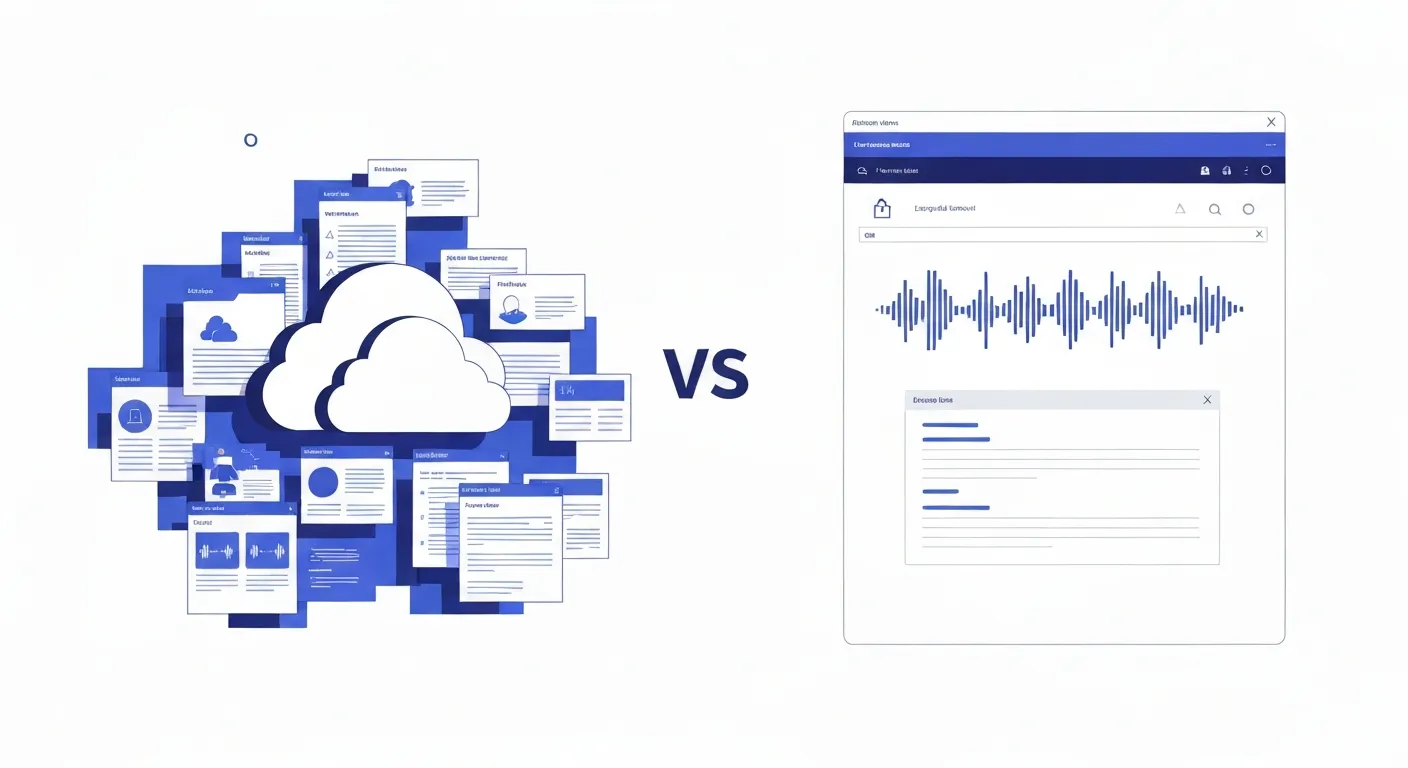
Descript built its reputation by combining transcription with audio and video editing in a single tool. But several pain points drive users to explore alternatives:
Subscription Pricing Adds Up: Descript charges $24/month for the Creator plan or $40/month for Pro, and features like high-quality transcription and advanced editing require the higher tier. That’s $288-$480 per year, every year, as long as you use the tool. For freelancers, students, and professionals who need transcription regularly but not intensive video editing, the cost feels excessive for features they don’t use.
Cloud Dependency Requires Internet: Descript processes transcription on remote servers, meaning you need a stable internet connection to work. This creates problems for users who travel frequently, work in areas with limited connectivity, or simply prefer offline workflows. Upload times for large files consume bandwidth, and processing happens on Descript’s schedule, not yours.
Privacy Concerns with Sensitive Content: When you upload audio to Descript, you’re sending potentially sensitive content to third-party servers. For therapists transcribing patient sessions, lawyers handling confidential client calls, journalists protecting sources, or businesses processing proprietary meetings, this cloud requirement creates privacy and compliance risks that many organizations can’t accept.
Feature Bloat: Descript has evolved into a full-featured video editing suite, which is excellent if you need those capabilities. But for users who just want accurate transcription and basic text editing, the interface feels overwhelming. Finding simple transcription features amid video effects, screen recording, and collaboration tools creates unnecessary friction.
Lock-In Concerns: As a subscription service controlling your files in the cloud, Descript can change pricing, restrict features, or alter terms at any time. Users have experienced surprise price increases and feature migrations to higher tiers. Once your workflow depends on cloud-based tools, switching becomes difficult because your content is distributed across their infrastructure.
These limitations have created demand for alternatives that prioritize privacy, offline functionality, transparent pricing, and focused feature sets for users whose primary need is transcription, not video production.
MinuteAI vs Descript: Feature Comparison

Understanding what each tool offers helps identify which fits your needs:
| Feature | Descript | MinuteAI |
|---|---|---|
| Pricing | $24-40/month subscription | Free (under 10 minutes), Pro $7.99/month, $69.99/year, or $99.99 one-time |
| Internet Required | Yes, for transcription & editing | No, works 100% offline |
| Privacy Model | Upload to Descript servers | Process locally on your device |
| Transcription Engines | Descript AI only | 4 options: WhisperKit, FluidAudio, Apple Speech, OpenAI Whisper API |
| Platforms | Mac, Windows, Web | Mac, iPhone, iPad (Apple-native) |
| Primary Focus | Video editing + transcription | Audio transcription + AI enhancement |
| Audio Editing | Full audio/video editing suite | Basic trim/cut, export focus |
| Text Editing | Edit audio by editing transcript | Edit transcript with audio sync |
| Speaker Labels | Automatic speaker detection | Speaker diarization available |
| Export Formats | Audio, video, transcript (TXT, DOCX, PDF, SRT) | TXT, SRT, VTT, PDF, formatted notes |
| AI Features | Overdub, Studio Sound, filler word removal | AI summaries, key points, enhancement (local) |
| Collaboration | Cloud-based team features | Local-first, individual focus |
| File Storage | Cloud storage included | You control all files locally |
| Learning Curve | Moderate (video features complex) | Easy (focused on transcription) |
| Offline Capability | None | Complete offline operation |
The fundamental difference: Descript is a comprehensive multimedia editing platform that includes transcription, while MinuteAI is a transcription-first tool that enhances audio with local AI processing. Your primary workflow determines which serves you better.
What MinuteAI Offers Instead
For users whose core need is accurate transcription with privacy and flexibility, MinuteAI delivers capabilities that Descript doesn’t match:
Free for Short Recordings: MinuteAI’s free tier supports unlimited recordings up to 10 minutes each with on-device transcription (WhisperKit, FluidAudio, Apple Speech). You get basic AI enhancement (10/month), export to TXT and Markdown, and speaker diarization (up to 3 speakers). The Pro subscription ($7.99/month, $69.99/year, or $99.99 one-time) unlocks unlimited recording length, batch processing, unlimited AI enhancement, advanced summaries, PDF export, and more. This is significantly more affordable than Descript’s recurring costs.
Four Transcription Engine Choices: Unlike Descript’s single AI model, MinuteAI lets you choose the transcription engine that matches your needs. WhisperKit offers the best balance of accuracy and privacy, supporting 99 languages with local processing. FluidAudio provides 50× faster processing on Apple Silicon Macs, supporting 55 languages. Apple Speech Analyzer integrates with macOS/iOS system features for convenient on-device processing (45+ languages). OpenAI Whisper API offers optional cloud-based processing for highest accuracy when privacy allows. This flexibility means you’re not locked into a single vendor’s AI performance.
100% Offline Operation: Download your preferred AI model once, and MinuteAI works forever without internet. Record an interview on an airplane, transcribe a lecture during a network outage, or process confidential audio without any data transmission—the tool works identically online or offline. Learn more about running AI locally on Mac to understand how on-device processing protects privacy while enabling offline functionality.
True Privacy Through Local Processing: When you transcribe with MinuteAI, your audio never leaves your device. No uploads, no cloud processing, no third-party server access. For professionals handling confidential information—medical recordings, legal consultations, proprietary business discussions, or journalistic interviews—this local processing isn’t just convenient, it’s often legally required for HIPAA compliance, attorney-client privilege, or source protection.
Apple Ecosystem Integration: Built specifically for macOS and iOS, MinuteAI takes advantage of Apple’s Neural Engine for fast local AI processing, integrates with system features like Shortcuts for automation, supports Handoff between devices, and uses iCloud sync (optional, encrypted) for seamless access across your Mac, iPhone, and iPad. The app feels native because it is—not a web wrapper or cross-platform port.
Lightweight and Focused: MinuteAI’s interface focuses on the transcription workflow: import audio, transcribe, review, enhance with AI, export. No video timeline, no screen recording options, no collaboration dashboards—just the tools you need to convert audio to text efficiently. This focused design means shorter learning curves and faster workflows for transcription-focused users.
Pro Subscription: MinuteAI Pro at $7.99/month, $69.99/year, or $99.99 one-time unlocks unlimited batch processing, unlimited AI enhancement, advanced summaries and action items, PDF export with formatting, priority support, unlimited speaker diarization, and custom enhancement prompts. With a 7-day free trial, you can test Pro features risk-free. Compare this to Descript’s $288-480 annual cost — MinuteAI Pro saves you significant money.
For users who compared Otter.ai alternatives and landed on privacy-focused tools, MinuteAI extends that privacy principle with more transcription engine options and deeper Apple ecosystem integration.
Where Descript Excels
Fair comparison requires acknowledging what Descript does better for users with different priorities:
Comprehensive Video Editing: Descript’s primary strength is video editing with transcript-based workflows. If you produce video podcasts, YouTube content, or video presentations, Descript’s ability to edit video by editing the transcript is genuinely innovative. MinuteAI focuses on audio transcription, not video production, so if video editing is your primary need, Descript remains the better choice.
Audio Cleanup Features: Descript’s Studio Sound removes background noise, Overdub can fix verbal mistakes by generating synthetic voice, and automatic filler word removal cleans up “ums” and “ahs” from recordings. These production-focused features serve content creators who need polished output. MinuteAI provides accurate transcripts but doesn’t include audio restoration or synthetic voice features.
Screen Recording and Capture: Descript can record your screen alongside audio, making it useful for creating tutorials, demos, or presentations. This all-in-one capability simplifies workflows for content creators who need both recording and editing. MinuteAI focuses on transcribing existing audio rather than capturing new recordings (though you can record directly in the app for transcription purposes).
Team Collaboration: For teams producing content together, Descript’s cloud-based collaboration features—shared projects, comments, real-time editing—enable workflows that MinuteAI’s local-first architecture doesn’t support. If you need multiple people editing the same project simultaneously, Descript’s cloud infrastructure serves that use case better.
Podcast-Specific Features: Descript includes tools specifically for podcast production: multi-track editing, automatic chapter generation, and direct publishing to podcast hosts. For serious podcast producers, these specialized features justify the subscription cost. MinuteAI serves transcription needs but isn’t designed as a podcast production platform.
The trade-off is clear: Descript optimizes for comprehensive multimedia production with cloud collaboration, while MinuteAI optimizes for private, offline transcription with local AI enhancement. Choose based on whether your primary workflow is content production (Descript) or confidential transcription (MinuteAI).
Who Should Switch to MinuteAI?
You’ll Prefer MinuteAI If You:
-
Primarily need transcription, not video editing: If 90% of your use case is converting audio to text, paying for video features you don’t use doesn’t make sense.
-
Handle confidential or sensitive information: Therapists, lawyers, journalists, researchers, and healthcare professionals who can’t upload recordings to third-party servers need local processing for compliance and ethics.
-
Work offline frequently: Travelers, remote workers, or anyone who can’t rely on stable internet connections benefit from MinuteAI’s complete offline capability.
-
Want a more affordable option: MinuteAI’s free tier handles recordings under 10 minutes, and Pro ($7.99/month, $69.99/year, or $99.99 one-time) costs significantly less than Descript’s $24-40/month.
-
Use Apple devices exclusively: MinuteAI’s Apple-native design takes full advantage of macOS and iOS features that cross-platform tools can’t match.
-
Process large volumes of audio: With MinuteAI Pro, you’re not limited by cloud quotas or upload caps. Free tier handles recordings under 10 minutes each; Pro unlocks unlimited length and batch processing.
-
Value privacy over convenience: If you’re willing to manage your own files and backups in exchange for absolute control over your data, local processing aligns with your priorities.
Stick with Descript If You:
- Need video editing capabilities beyond basic cuts
- Produce podcasts with multiple tracks requiring professional production
- Work in teams requiring real-time collaboration on cloud-based projects
- Want all-in-one screen recording, editing, and publishing
- Don’t handle sensitive information that requires local processing
- Prioritize convenience over privacy and are comfortable with cloud storage
The decision ultimately hinges on your primary workflow: multimedia production versus private transcription.
Making the Switch: Migration Path from Descript
If you’re currently using Descript primarily for transcription and want to move to local processing, here’s how to transition smoothly:
Step 1: Export Your Existing Projects
Before canceling Descript, export all projects you want to keep:
- Export transcripts as .txt or .docx files for archive
- Download original audio/video files from Descript’s cloud storage
- Save any edited versions you need to preserve
- Store everything in a local folder on your Mac
Step 2: Set Up MinuteAI
- Download MinuteAI from the Mac App Store (free)
- Install your preferred transcription engine (WhisperKit recommended for most users)
- Optional: Start 7-day free trial of MinuteAI Pro to test AI enhancement features
- Import a test audio file to verify transcription quality meets your needs
Step 3: Establish Your New Workflow
For Simple Transcription:
- Import audio files into MinuteAI (drag and drop, or File → Import)
- Select transcription engine (WhisperKit for privacy, OpenAI Whisper API for highest accuracy if cloud is acceptable)
- Transcribe (processing time varies: typically real-time to a few minutes per hour of audio)
- Review and edit transcript for accuracy
- Export to your preferred format (TXT, Markdown, PDF with Pro, SRT, VTT)
For AI-Enhanced Workflows (Pro required for unlimited):
- Transcribe as above
- Use AI Enhancement features to generate summaries, extract key points, or create structured notes
- Choose from 8 AI engines: Local (MLX, Apple Intelligence) or Cloud (Claude API, OpenAI API, CLI tools)
- Export enhanced results alongside transcripts
For Recurring Projects (meetings, interviews, lectures):
- Create a consistent folder structure for different project types
- Use macOS Shortcuts to automate import and transcription if needed
- Establish naming conventions for easy file management
- Set up regular backup routines to external encrypted drives
Step 4: Cancel Descript Subscription
Once you’ve verified MinuteAI handles your transcription needs:
- Export and download all remaining projects from Descript
- Cancel subscription (check billing cycle to avoid prorated charges)
- Delete your Descript account if desired (this removes your data from their servers)
- Calculate annual savings: $208-400/year in subscription costs eliminated with MinuteAI Pro
Cost Comparison Over Time
Year 1:
- Descript Creator: $288
- MinuteAI Pro (monthly): $95.88 — or $69.99 (annual plan) — or $99.99 (one-time)
- Savings: $188-192/year (or $188 with one-time)
Year 3:
- Descript Creator: $864
- MinuteAI Pro (annual): $209.97 — or $99.99 (one-time)
- Savings: $654-764
Year 5:
- Descript Creator: $1,440
- MinuteAI Pro (annual): $349.95 — or $99.99 (one-time)
- Savings: $1,090-1,340
For users who primarily need transcription rather than full video editing, MinuteAI delivers significant savings—plus the privacy and offline benefits of local processing.
Note: MinuteAI’s free tier (recordings under 10 minutes) may be sufficient for light users without any subscription.
Get Started with Private, Offline Transcription
Ready to switch from cloud-dependent transcription to local AI processing? Here’s your action plan:
Immediate Next Steps:
- Download MinuteAI and test with a sample audio file
- Compare transcription quality to your current Descript output
- Verify offline functionality by enabling airplane mode and transcribing
- Review privacy requirements for your use case (HIPAA, attorney-client privilege, source protection)
- Calculate long-term cost savings compared to ongoing Descript subscription
Advanced Setup:
- Configure iCloud sync (encrypted, optional) for seamless access across Apple devices
- Set up Shortcuts automation for recurring transcription workflows
- Establish encrypted backup routine for sensitive transcripts
- Review our guide on processing sensitive data locally for maximum privacy
When to Use Each Tool:
- MinuteAI: Confidential transcription, offline work, privacy-critical content, cost-conscious long-term use
- Descript: Video podcast production, team collaboration, multimedia content creation, professional audio cleanup
The right tool depends on your specific workflow. For users who realized they were paying Descript’s subscription primarily for transcription features available more privately and cheaply elsewhere, MinuteAI offers a clear path forward: local processing, flexible AI engine choices, affordable Pro subscription, and absolute privacy through on-device architecture.
Your audio stays on your device. Your transcripts remain under your control. Your subscription budget gets reallocated to tools you actually need. That’s the MinuteAI alternative to cloud-dependent transcription platforms.
Try MinuteAI Free on Mac
Privacy-first AI transcription running entirely on your device. No uploads, no subscriptions required to start.
Download for MacRelated Articles
MacWhisper vs MinuteAI: Which Local Transcription App Is Better?
Detailed comparison of MacWhisper and MinuteAI for local AI transcription on Mac. Features, pricing, engines, OCR, and privacy compared side-by-side.
Use CasesPrivate AI Workflow for Journalists: Protect Sources with Local Transcription
How journalists use local AI transcription to protect confidential sources. Record, transcribe, and analyze interviews without any cloud exposure.
WorkflowsAnalyze YouTube Videos Locally: Transcribe & Summarize Without Cloud APIs
Download and analyze YouTube videos on your Mac using local AI. Get transcripts, summaries, and key points without sending data to cloud services.